
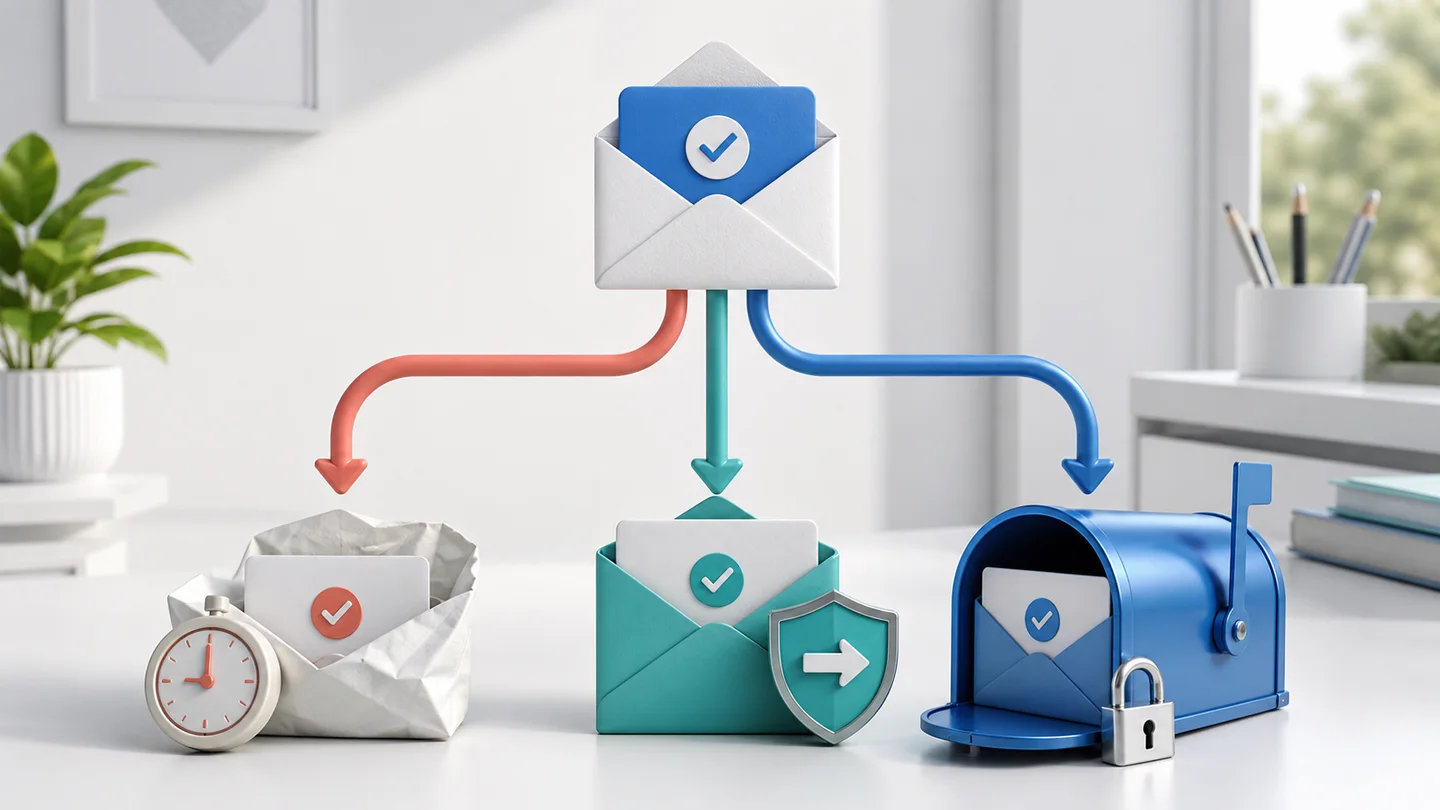
People searching for “temporary Gmail” are usually trying to solve one of three problems: receive a verification code without sharing a primary address, keep marketing out of a normal inbox, or create a separate address for testing. Those are reasonable goals, but the phrase itself causes confusion.
There is no official self-destructing @gmail.com mailbox that disappears after ten minutes. Gmail accounts are persistent accounts. A disposable inbox, a Gmail plus address, and an email alias can all reduce clutter, but they work differently and leave you with different levels of control.
The right choice depends less on which address is quickest to create and more on whether you will need the account again.
The short answer
Use a public disposable inbox for a low-risk, one-time message that you do not need after the retention window. When that matches your case, create a disposable inbox on GPTMail and use it only for the short-lived message.
Use Gmail plus addressing when you want mail delivered to your existing Gmail inbox under a recognizable tag, such as name+trial@gmail.com. It is organization, not anonymity: the base address is still easy to infer.
Use a forwarding alias you control when the relationship may continue and you want the option to disable one address without changing your main mailbox.
Use a permanent recovery address for purchases, subscriptions, saved work, financial services, healthcare, government services, or any account that would be painful to lose.
What “temporary Gmail” does not mean
A website offering temporary email may provide a short-lived inbox, but it cannot issue a genuine Gmail account unless Google itself created that account. An address on another domain is not a Gmail address simply because it can receive the same verification email.
That distinction matters for two reasons.
First, some websites accept any working email address. For those sites, a disposable inbox may be enough. Other websites restrict registrations by domain, reputation, geography, or previous abuse. No temporary-email provider can honestly promise that every sender will accept every domain.
Second, a disposable inbox has a deliberately short lifecycle. GPTMail currently displays its retention period on the site and removes expired email automatically. That behavior is useful for one-time verification, but it is the opposite of what you want from an account-recovery mailbox.
If a service rejects one temporary domain, changing domains may help when the sender merely has a stale blocklist. It will not help when the service requires a managed business address, a school address, or a real Google account.
Option 1: a public disposable inbox
A public temporary inbox is the cleanest option when the message is disposable too. Typical examples include:
- a verification code for a low-risk trial;
- a one-time download link;
- a newsletter you only want to inspect once;
- a signup flow being tested by a developer or QA engineer;
- a form that needs a valid address but creates no account value.
The advantage is separation. Future promotional mail does not enter your primary mailbox, and the sender does not learn the address you use for personal correspondence.
The tradeoff is continuity. Anyone who knows a complete public inbox address may be able to view it, and the messages will not remain available indefinitely. Never use a public disposable inbox for password recovery, payment receipts you may need later, private documents, or a conversation that must remain confidential.
GPTMail lets you create a random address from the homepage or open a known public inbox directly. Before using one, read Temporary Email, Used Well for the practical privacy boundaries.
Option 2: Gmail plus addressing
With plus addressing, mail sent to an address such as name+shopping@gmail.com arrives in the mailbox for name@gmail.com. You can use the added label to create a filter, identify where an address was submitted, or separate messages for different projects.
This is useful when you want organization without maintaining another mailbox. It also preserves access for account recovery because the message reaches your normal Gmail account.
It is not a privacy barrier. A recipient or data broker can remove everything after the plus sign and recover the base address. Some signup forms reject the + character, and a company can normalize plus addresses before comparing accounts. Use it for sorting and source tracking, not for hiding your identity.
For a newsletter, software license, or shopping account that you expect to keep, plus addressing is often safer than a disposable inbox because your recovery path remains available.
Option 3: a forwarding alias
A forwarding alias is a separate address that routes mail to a mailbox you control. Unlike a simple plus tag, the alias does not have to reveal the destination address. A good alias service lets you create, disable, and sometimes reply from individual aliases.
This is the strongest general-purpose choice when you want both separation and continuity. Give each vendor or category its own alias. If one address starts receiving unwanted mail, disable that route without abandoning the underlying mailbox.
An alias still depends on its provider and domain. Keep the destination mailbox secure, record where important aliases are used, and avoid deleting an alias while it remains the only recovery address for an account.
If you control a domain, you can also create addresses under that domain. Correct MX routing is essential; Custom-Domain MX Setup Without Guesswork explains what the receiving path should look like.
Option 4: a separate permanent mailbox
Sometimes the boring choice is the correct one. A separate permanent mailbox gives you durable access without mixing every registration into your primary personal inbox.
Use one for accounts that can accumulate money, data, reputation, or legal significance. Examples include domain registrars, cloud platforms, paid software, marketplaces, tax services, schools, employers, and travel bookings.
Protect it with a unique password, multi-factor authentication, current recovery methods, and recovery codes stored outside the mailbox. A permanent secondary address takes more maintenance, but it avoids the common failure mode of trying to recover a valuable account through an inbox that expired months earlier.
The article Temporary Email Is Not Account Recovery covers this boundary in more detail.
Which option fits your task?
Choose based on the future value of the account:
One code, no lasting account: use a disposable inbox.
Mail should reach Gmail and you only need sorting: use a plus address.
The relationship may continue, but you want a removable boundary: use a forwarding alias.
The account contains purchases, work, private data, or recovery value: use a permanent mailbox you control.
For software testing, the decision is slightly different. A disposable inbox is appropriate for isolated test runs, while a controlled domain or API workflow is better for repeatable test suites. See A Real Email Test Plan for a workflow that keeps test data separate from real customers.
What if the verification email does not arrive?
Do not immediately create five more addresses. First confirm that the selected domain is active, the sender accepted the address, and the message was actually sent. Delivery can also be delayed by the sender's queue, DNS, filtering, or a typo in the local part.
Try one controlled change at a time: refresh the inbox, check the spelling, wait briefly, then choose another active domain if the sender appears to reject the first one. This makes it possible to identify the broken step instead of creating more uncertainty.
The systematic checklist in Verification Email Not Arriving separates address rejection, sender delay, DNS problems, and inbox lookup errors.
A practical rule to remember
“Temporary Gmail” is better treated as a question than a product category: do you need a disposable inbox, Gmail-based organization, or a durable alias?
Use the least permanent address that still protects the future value of the account. A disposable inbox is excellent when both the message and the relationship are temporary. The moment an account may matter later, switch to an address you control before the temporary inbox expires.